← Back to Poppo Withdrawal
FH EMPIRE • POPPO LIVE

USDT Withdrawal Guide

Follow each step carefully to complete your Poppo withdrawal through the USDT method.

LESS THAN $65 • USDT METHOD
Follow the steps in order. Always verify the wallet address and withdrawal information carefully before confirming.
1
STEP 01

Open Poppo Live App
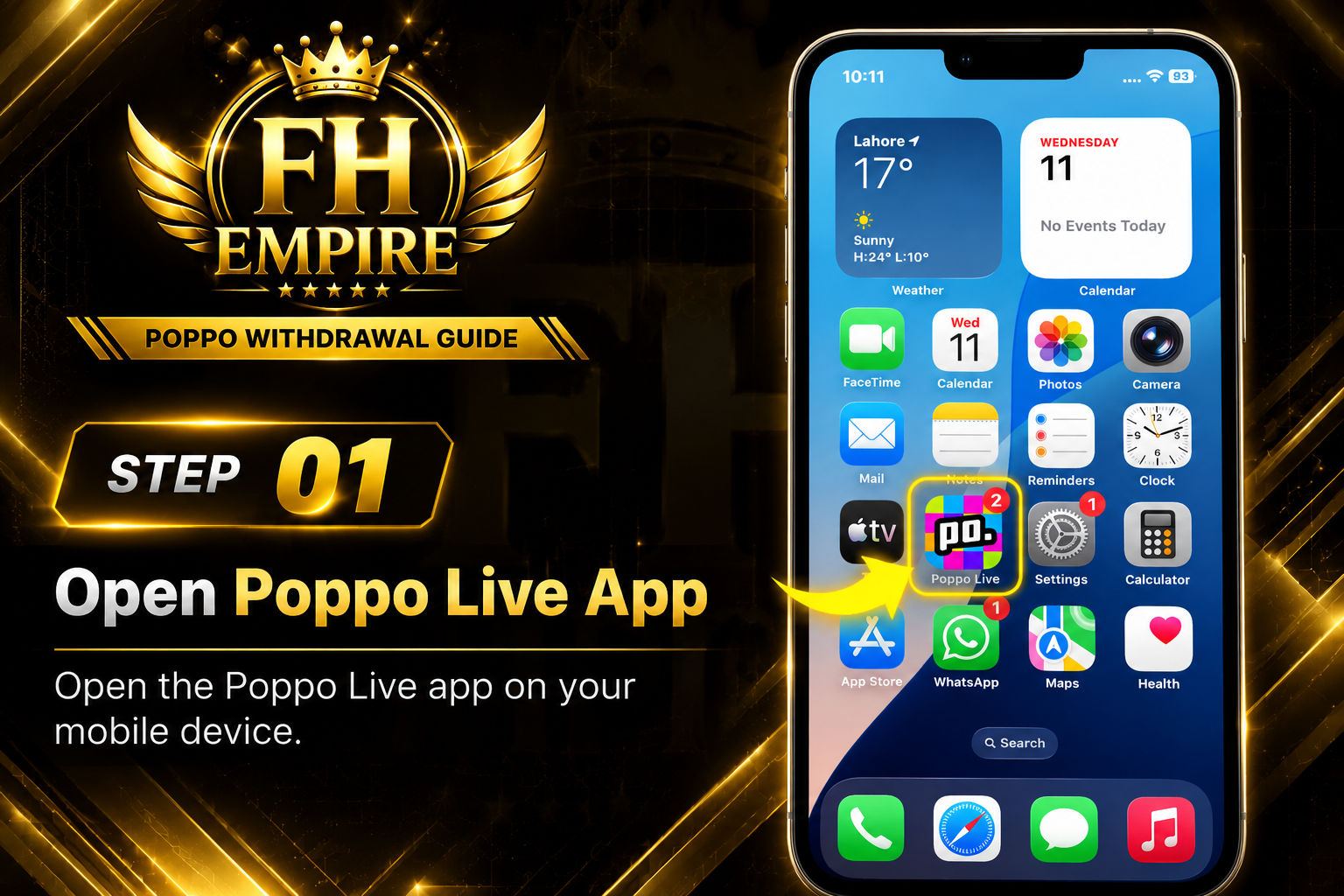
Step 1 - Open Poppo Live App
2
STEP 02

Go to Your Profile

Step 2 - Go to Your Profile
3
STEP 03

Click on Your Points

Step 3 - Click on Your Points
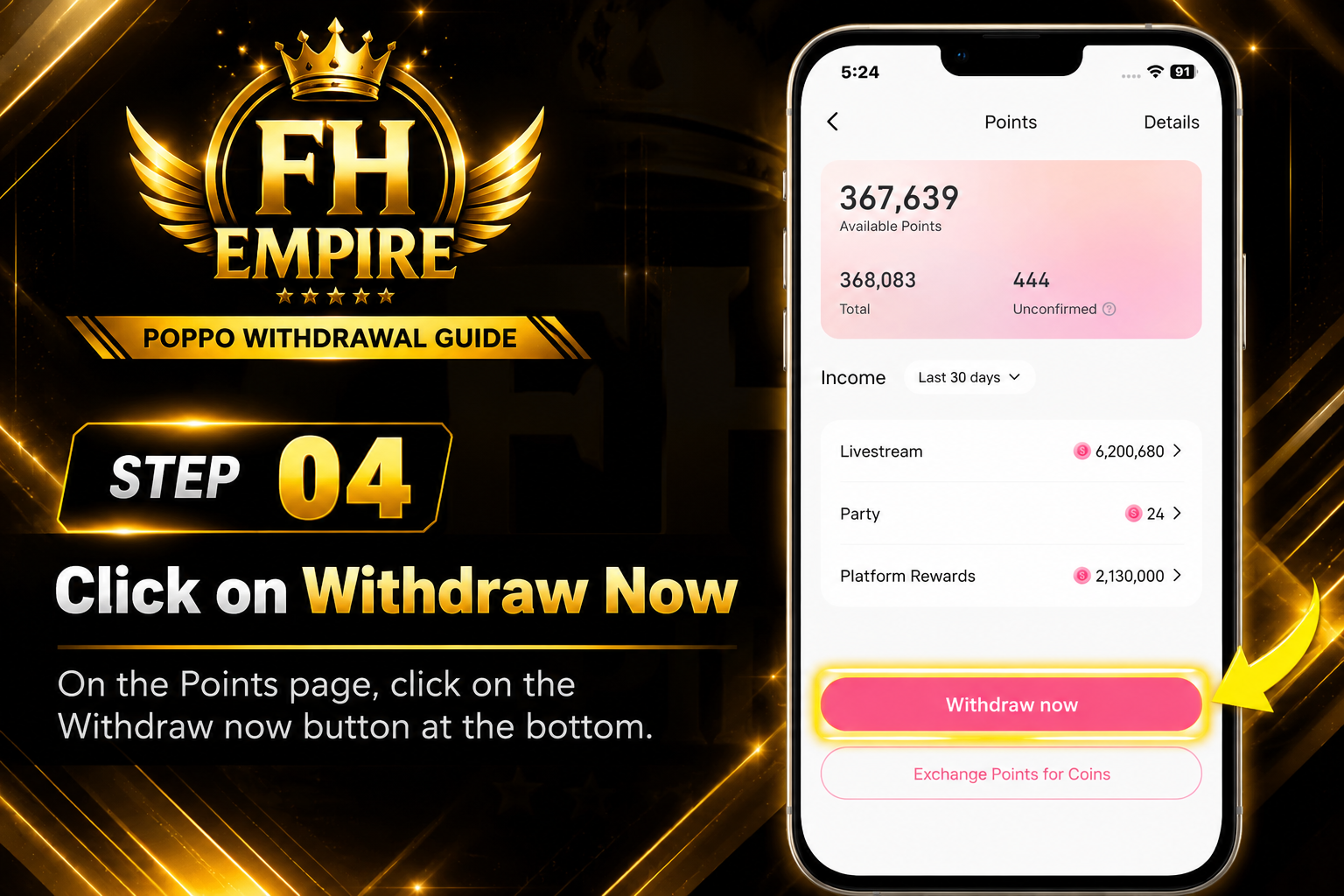
4
STEP 04

Click on Withdraw Now

Step 4 - Click Withdraw Now
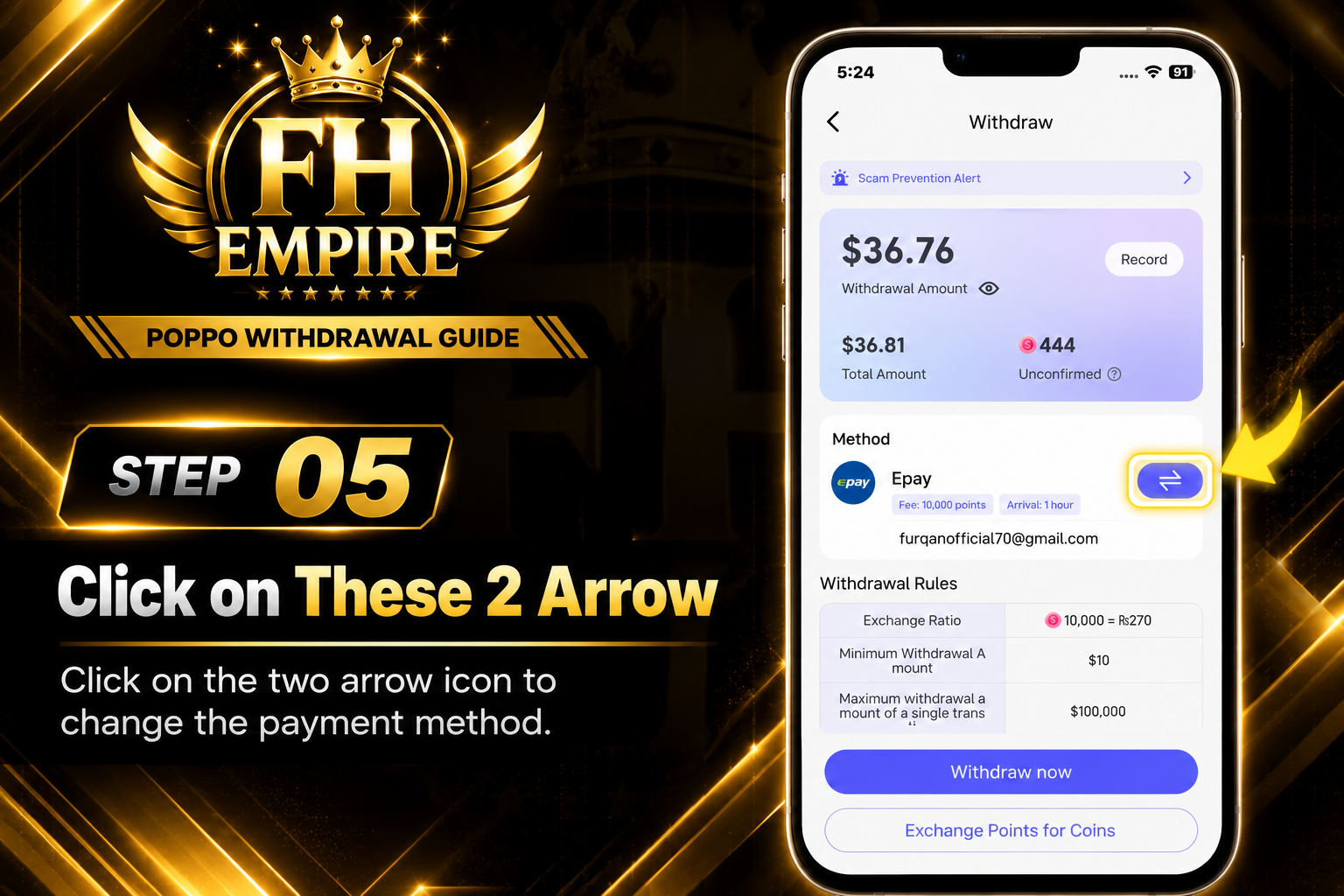
5
STEP 05

Change Payment Method

Step 5 - Change Payment Method
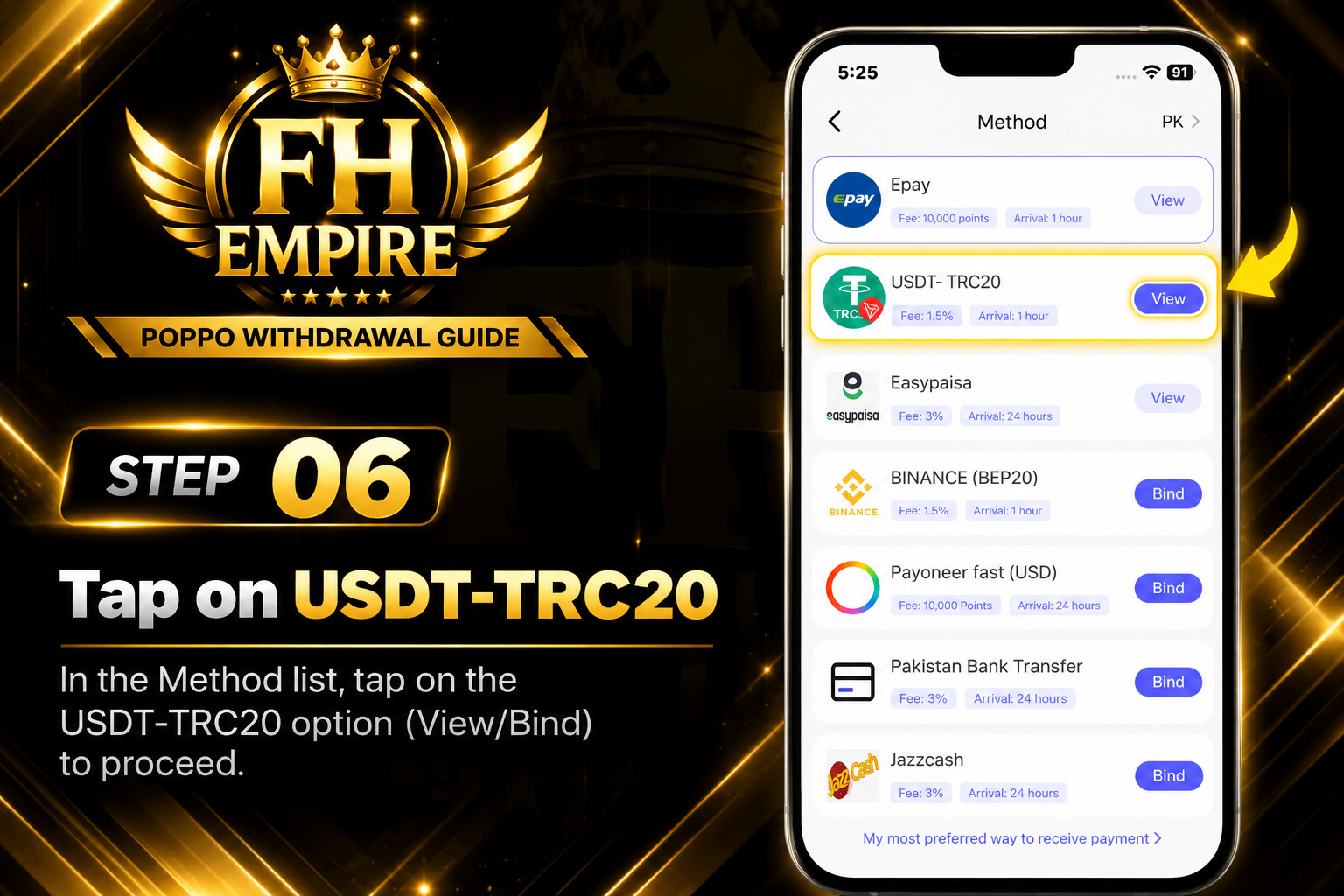
6
STEP 06

Select USDT-TRC20

Step 6 - Select USDT TRC20
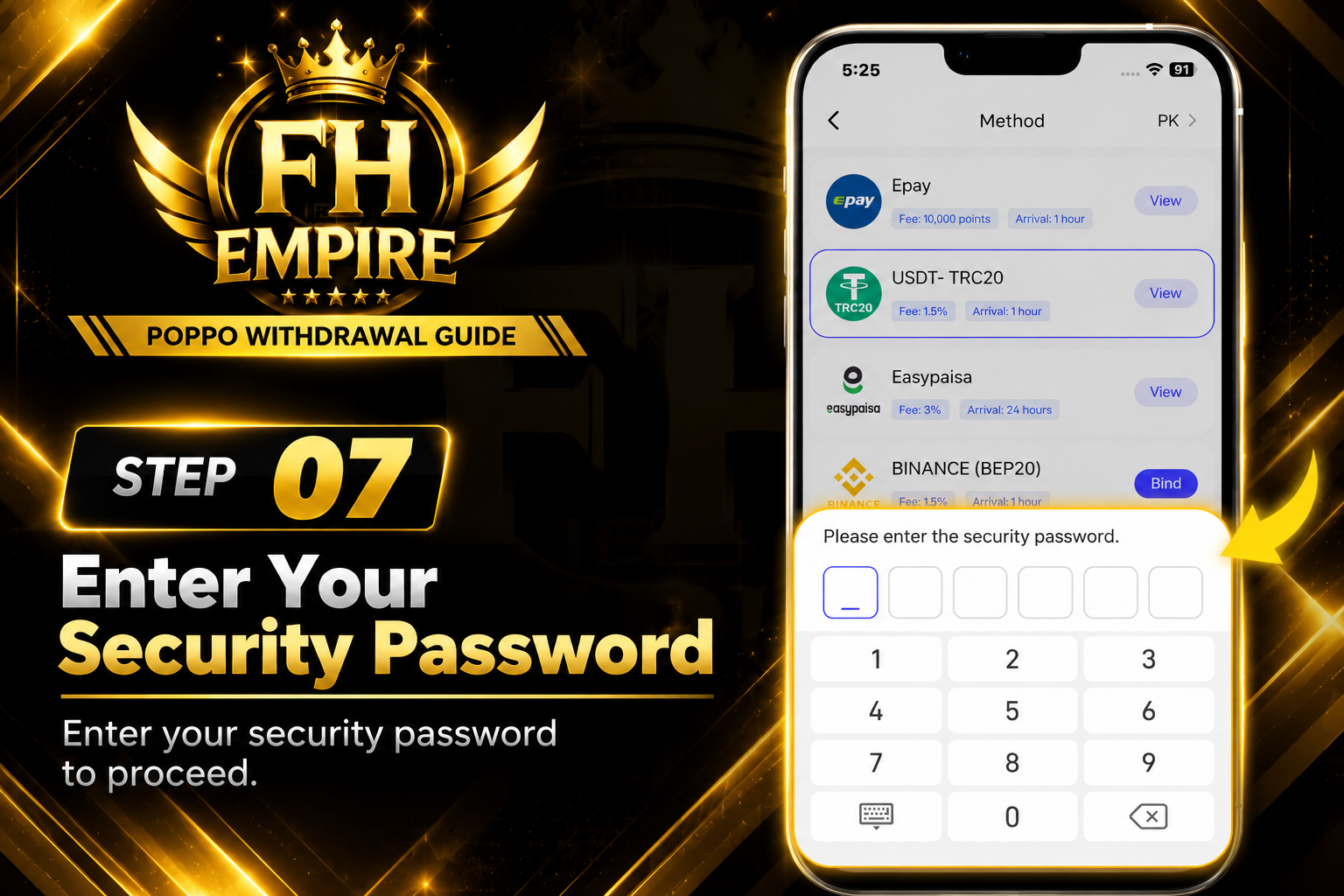
7
STEP 07

Enter Your Security Password

Step 7 - Enter Security Password
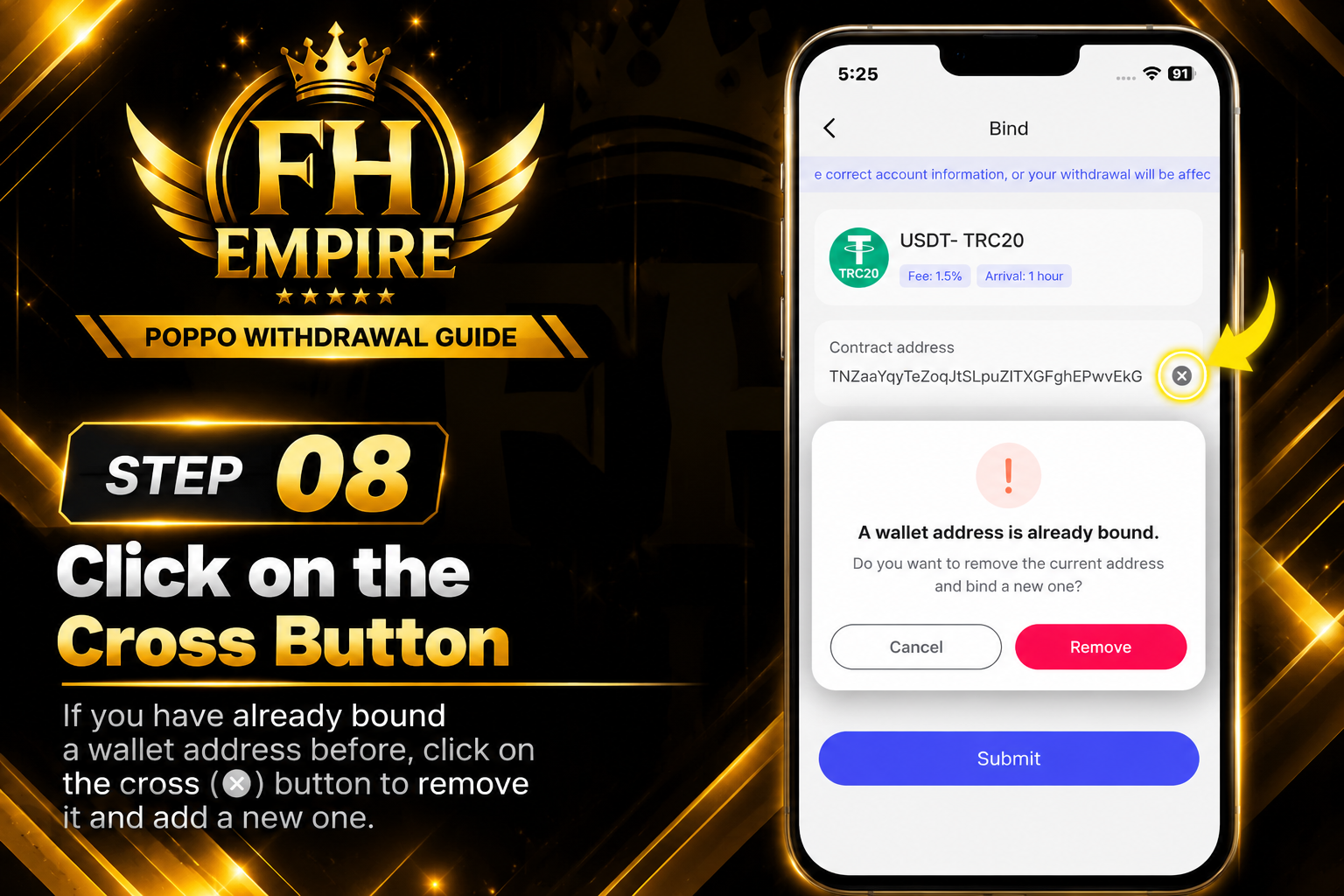
8
STEP 08

Remove Previously Bound Address

Step 8 - Remove Previous Address
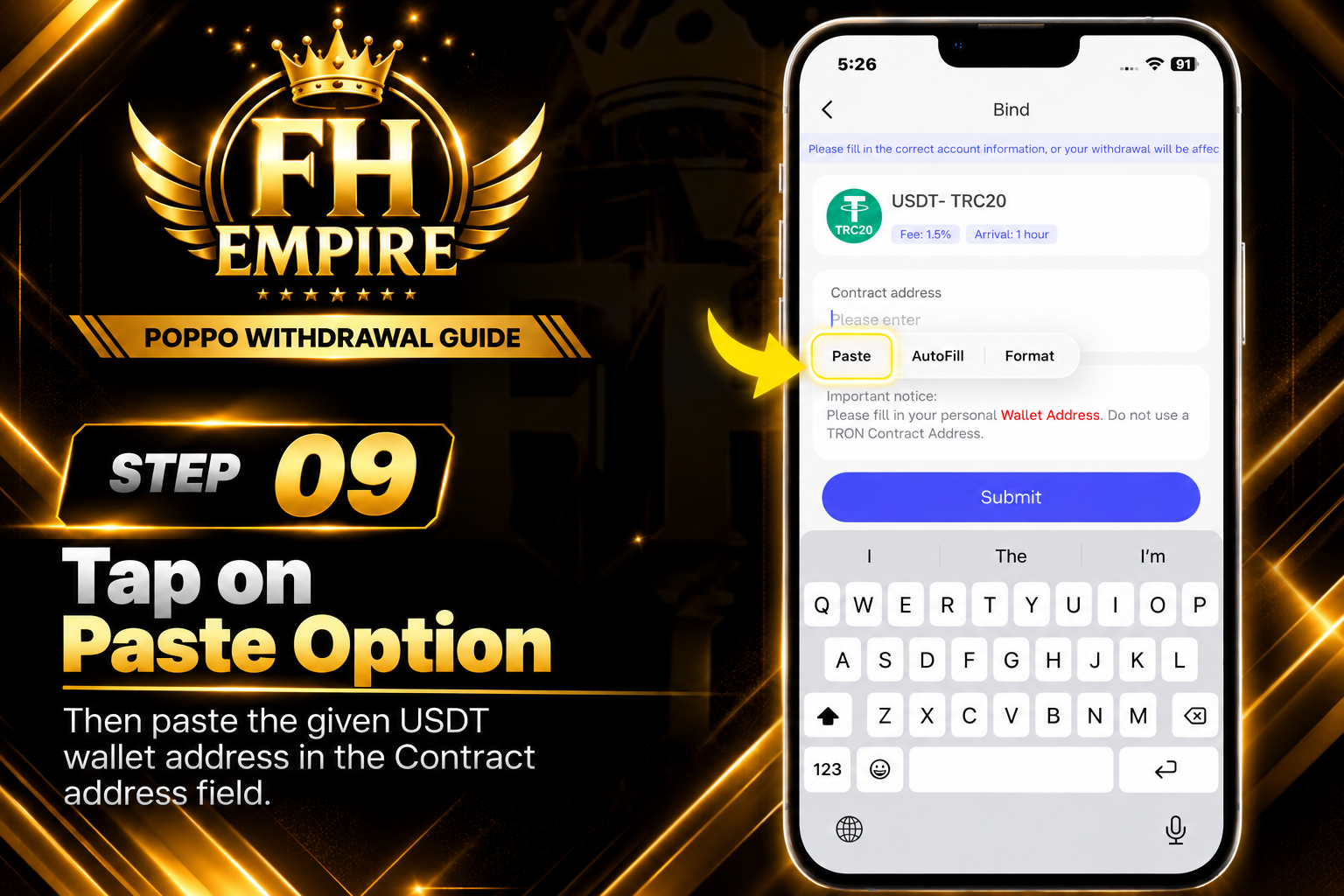
9
STEP 09

Paste the Given USDT Address

Step 9 - Paste USDT Address
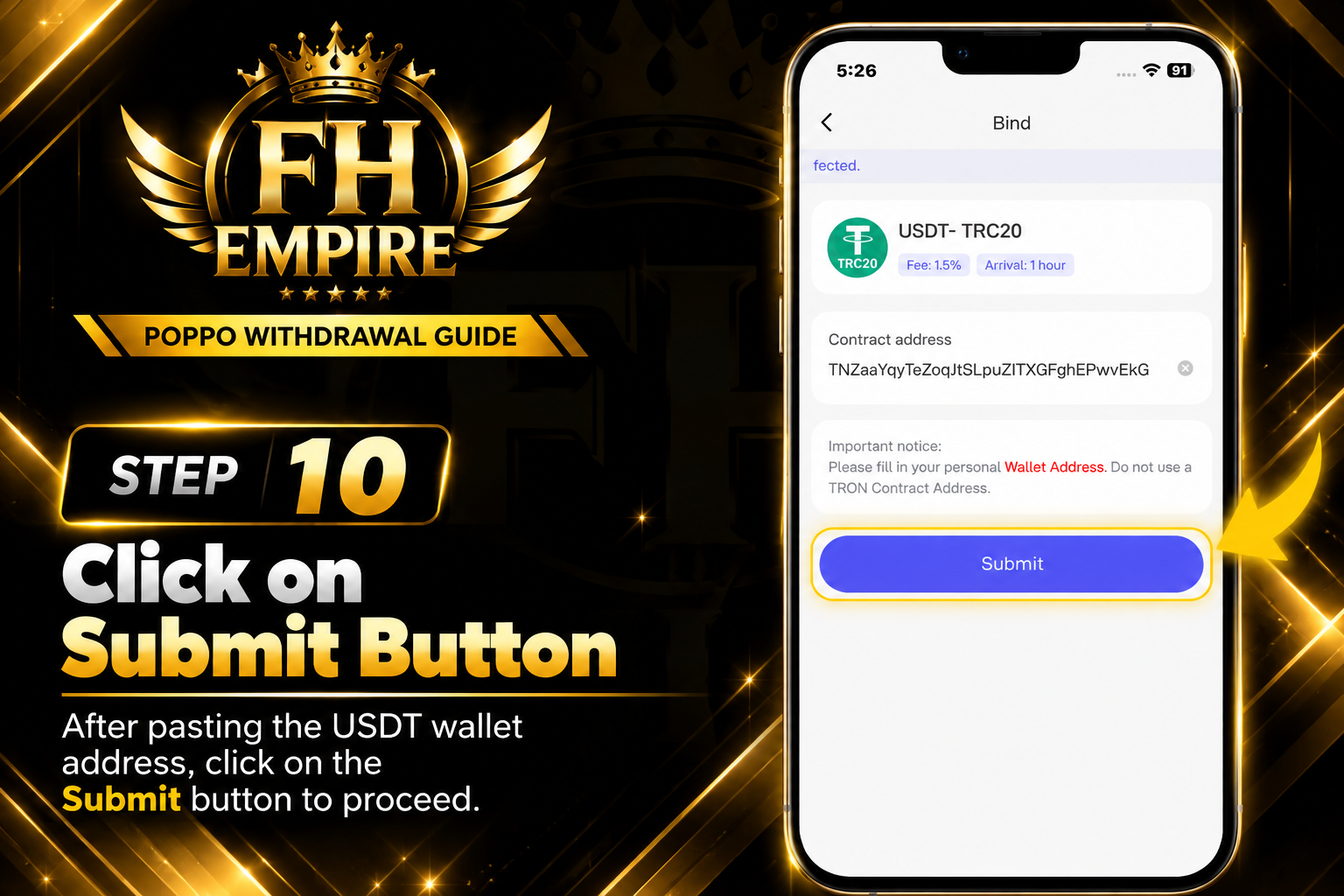
10
STEP 10

Click Submit

Step 10 - Click Submit
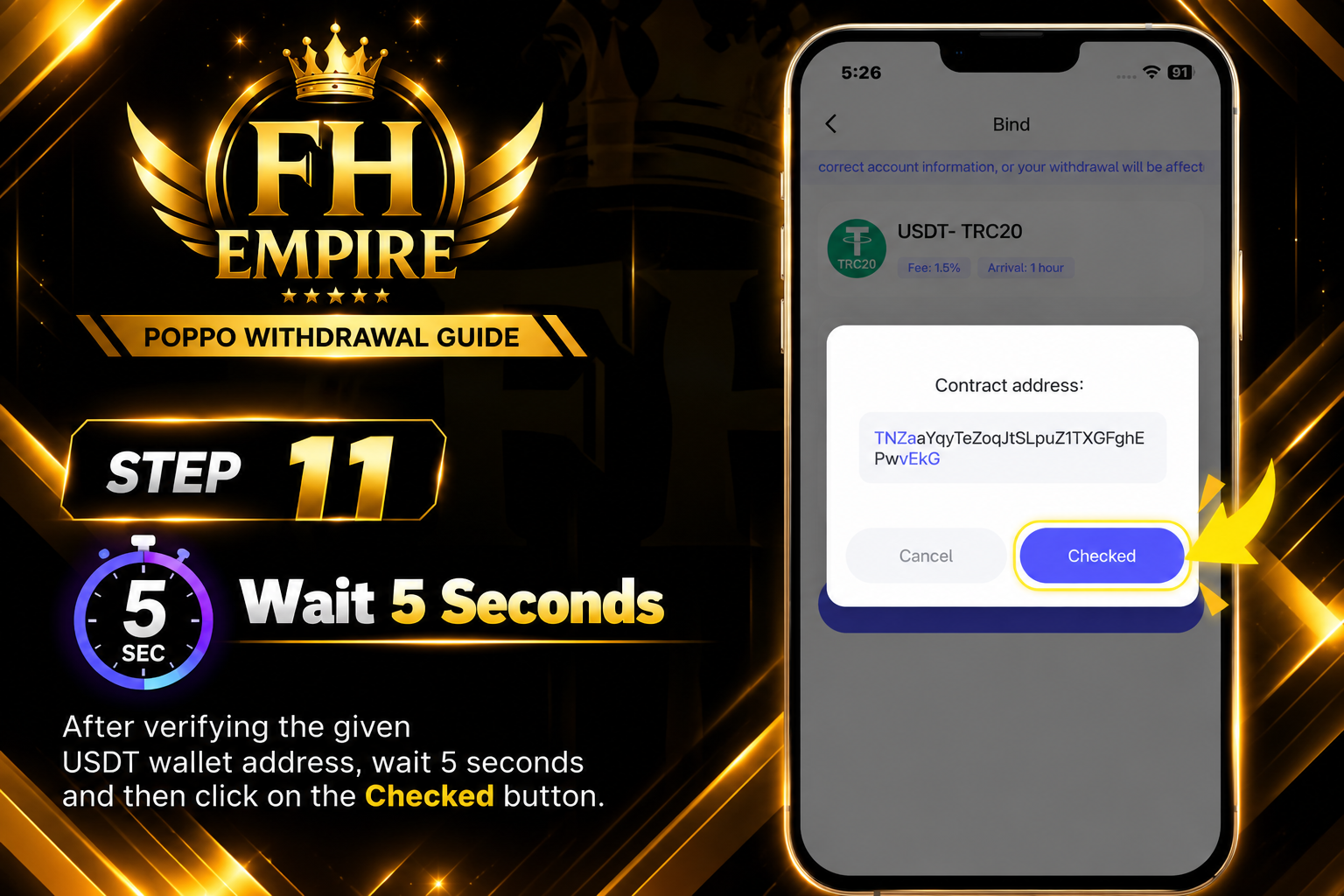
11
STEP 11

Verify Address & Click Checked

Step 11 - Verify Address
12
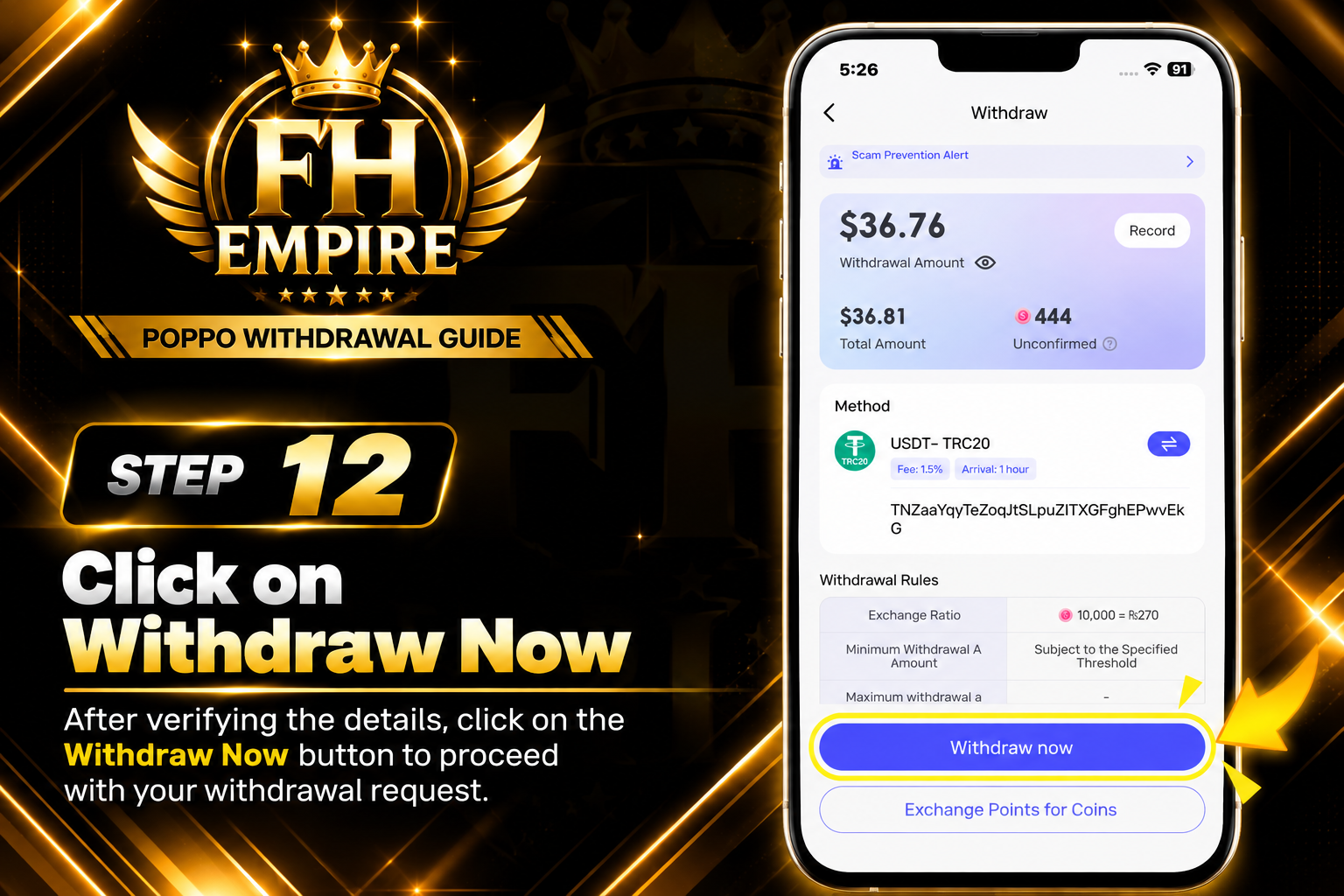
STEP 12

Click Withdraw Now

Step 12 - Click Withdraw Now
13
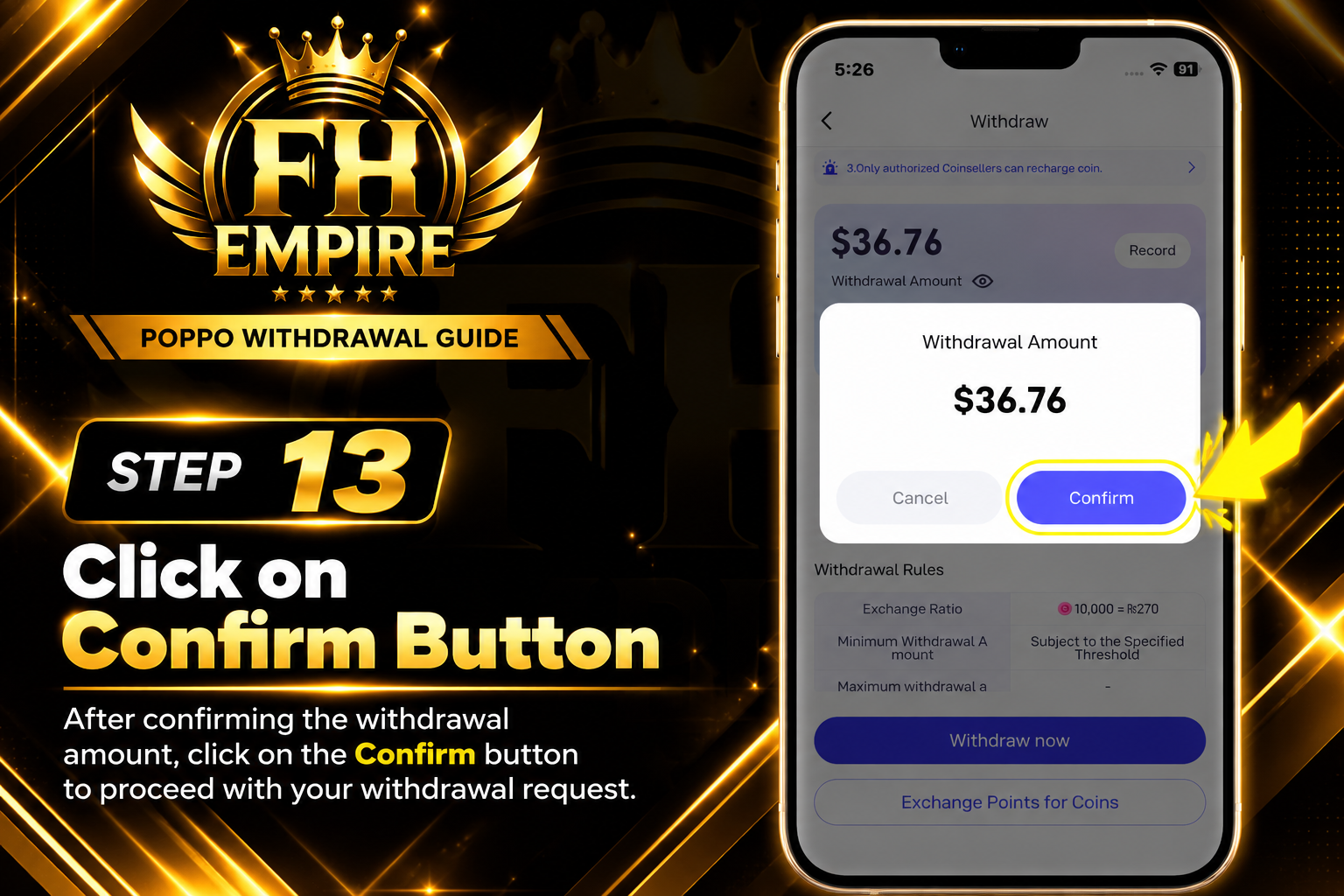
STEP 13

Click Confirm

Step 13 - Click Confirm
14
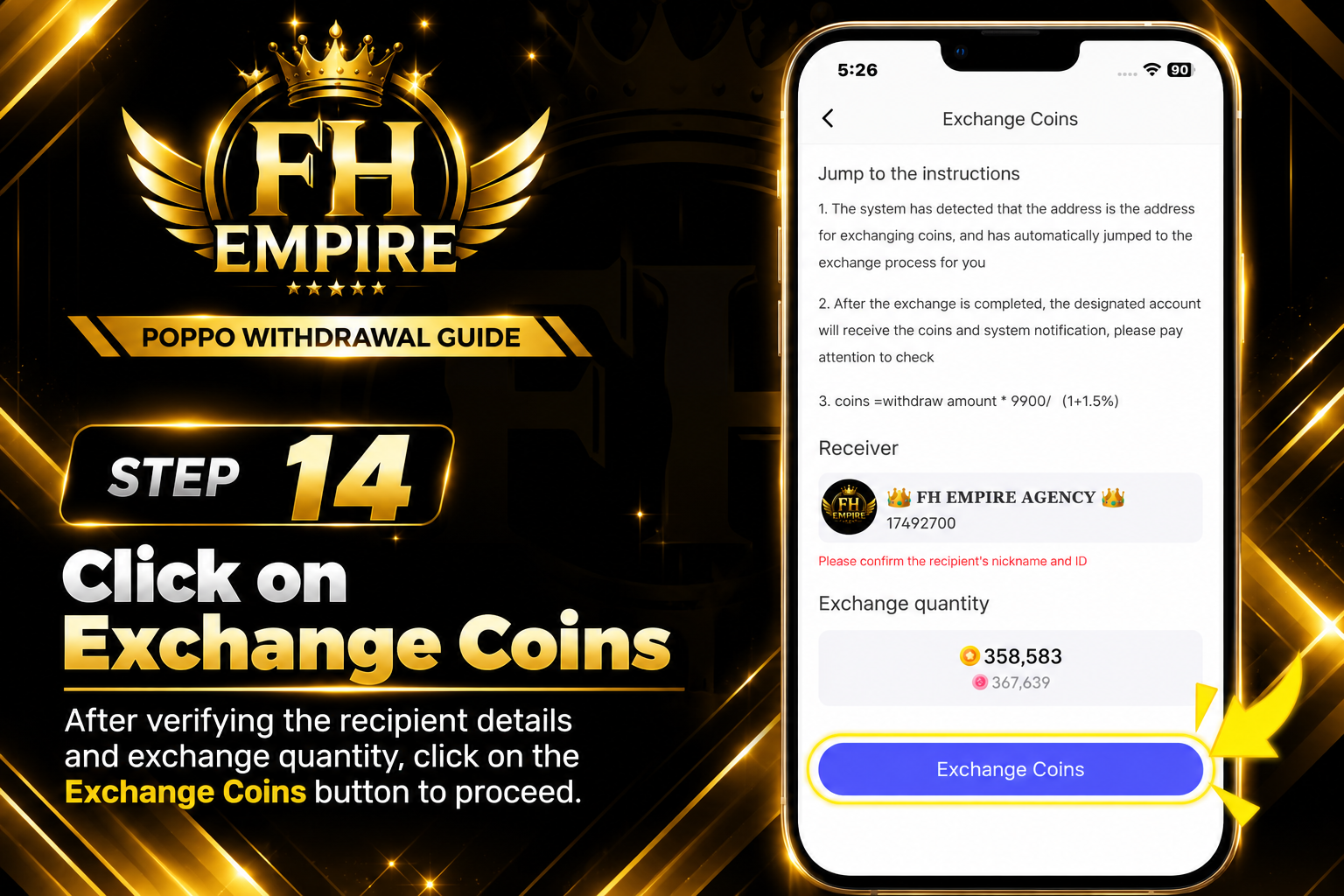
STEP 14

Click Exchange Coins

Step 14 - Exchange Coins
15
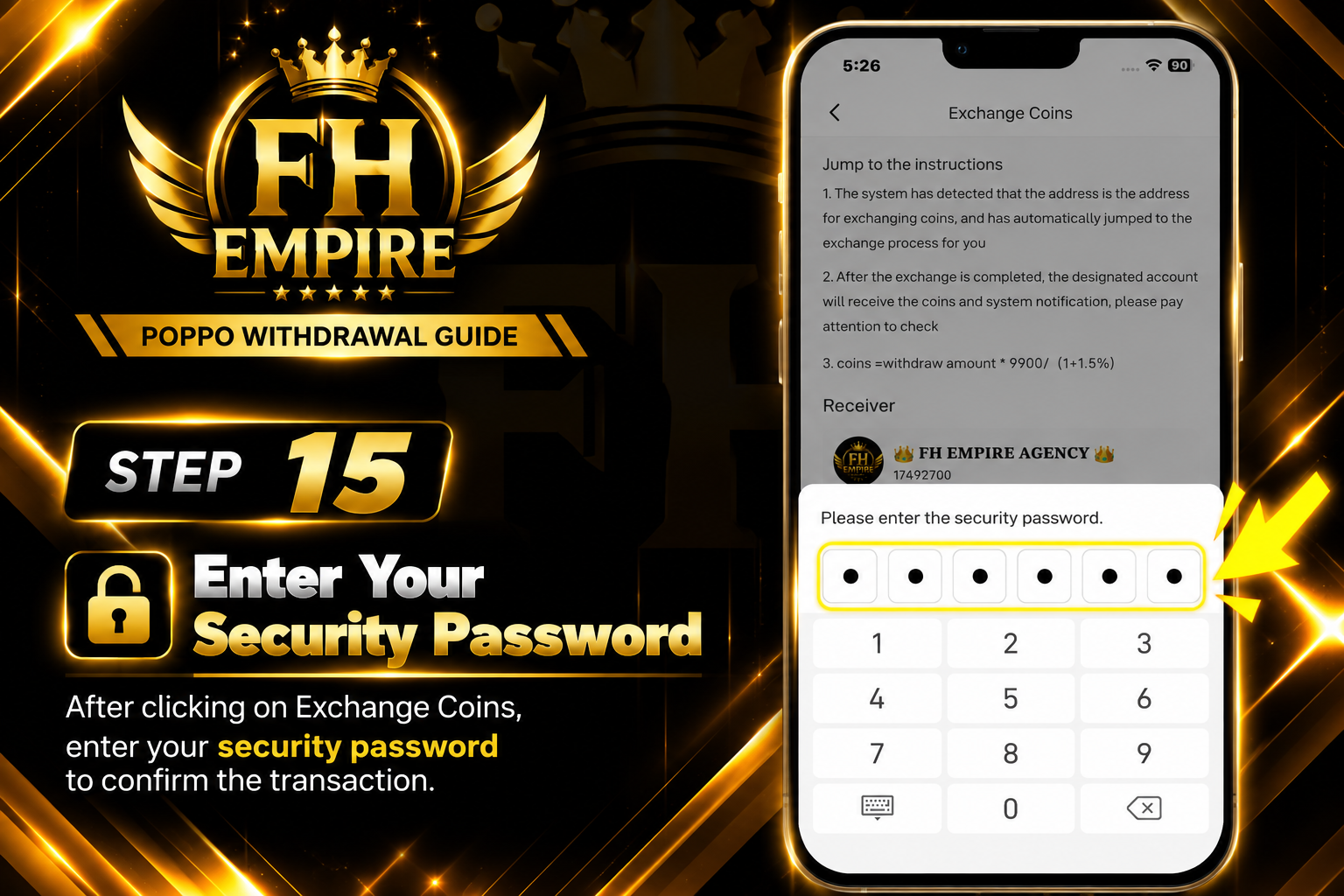
STEP 15

Enter Your Security Password

Step 15 - Enter Security Password
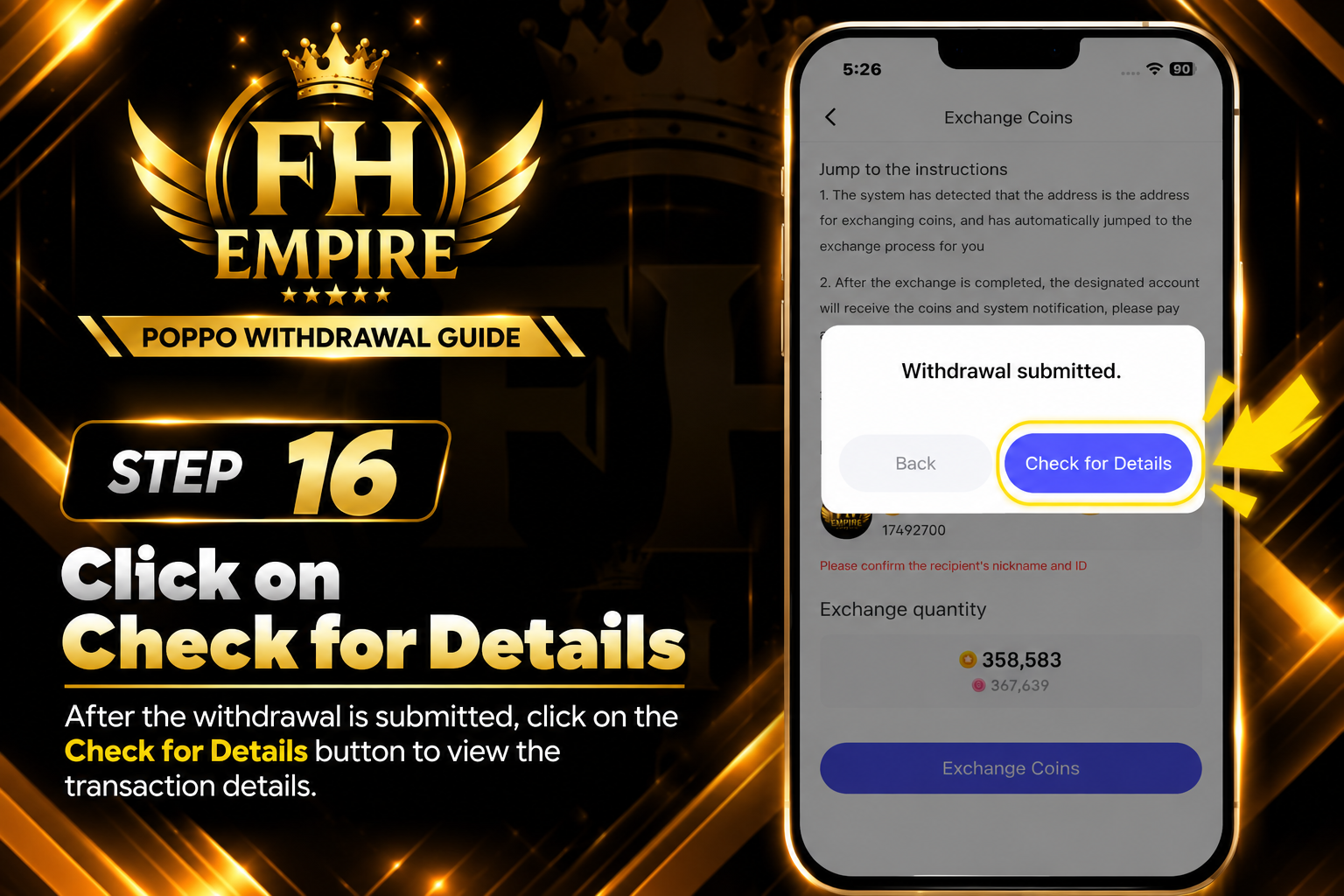
16
STEP 16

Click Check for Details

Step 16 - Check for Details
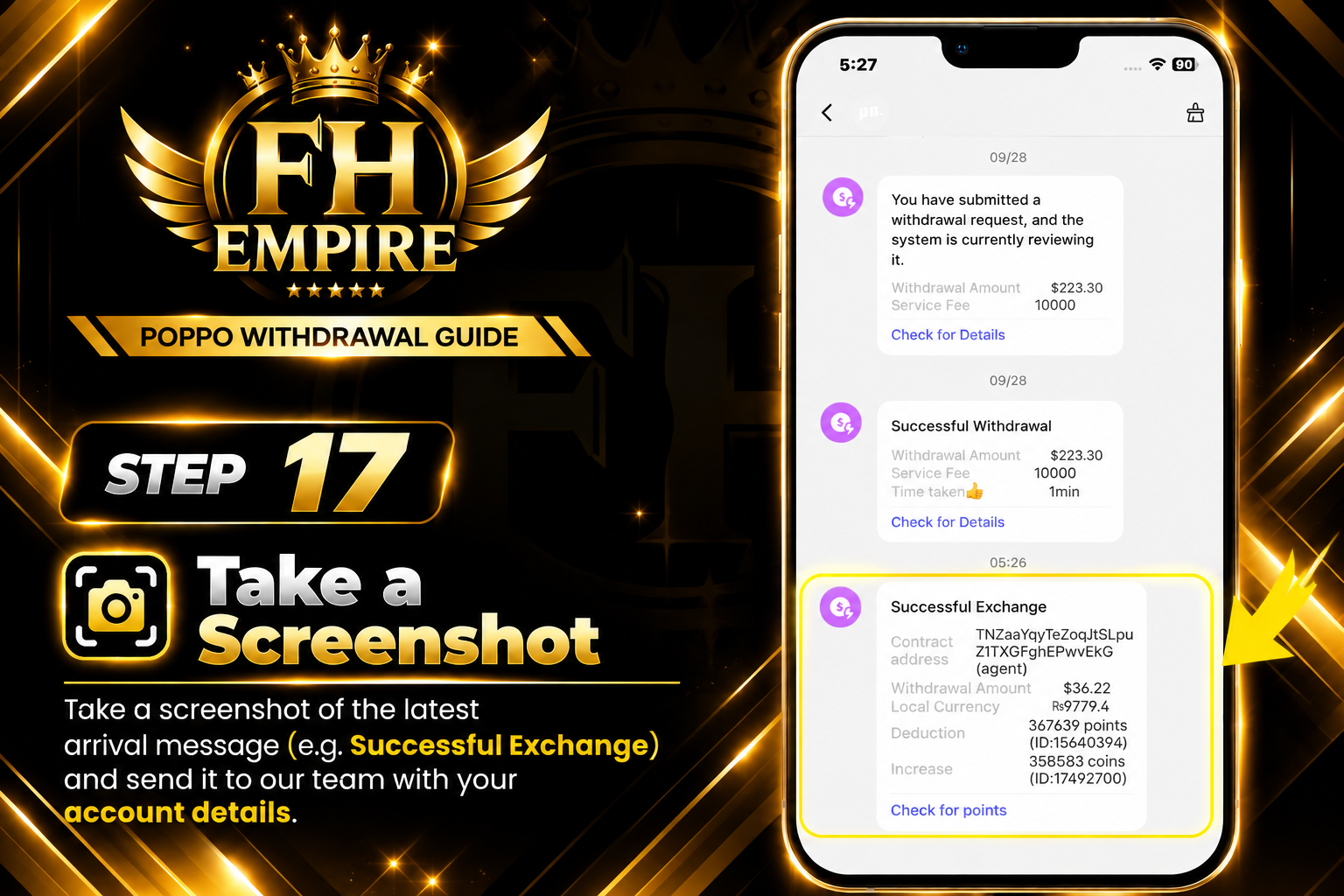
17
FINAL STEP

Take Screenshot & Send to FH EMPIRE

Step 17 - Send Screenshot to FH EMPIRE

Withdrawal Process Complete ✓

Send the screenshot of the latest arrival message along with your account details to the FH EMPIRE team for further processing.

✓

Ready to Complete Your Withdrawal?

After completing the steps above, send your latest withdrawal screenshot and account details to the FH EMPIRE team.

Send Details on WhatsApp → Please send your latest withdrawal screenshot along with your account/payment details.